Fri Mar 30 14:01:23 UTC 2018
Fixing multipathd service:
The multipathd service is known to fail. We fix as follows:
sudo tee /etc/multipath.conf << EOF
defaults {
    multipath_dir "/lib"
}
EOF
sudo sed 's,scsi_dh_alua scsi_dh_emc scsi_dh_rdac\s,,' -i /lib/systemd/system/multipathd.service
sudo mkdir -p /etc/multipath/
sudo dracut --force -o multipath
Fri Mar 30 03:00:02 UTC 2018
Resolving Dracut error message:
dracut-install: ERROR: installing '/etc/idmapd.conf'
If this message appears when running dracut, it is because your system has not configured NFSv4 and does not yet have the /etc/idmapd.conf file. The immediate solution is to add this file:
sudo touch /etc/idmapd.conf
Thu Mar 29 07:25:40 UTC 2018
How to generate and use an initramfs/initrd image?
sudo dracut &&
sudo grub-mkconfig -o /boot/grub/grub.cfg
See Dracut man page for details.
Mon Mar 26 03:30:40 UTC 2018
How to take screenshots in Plasma?
You run KScreenGenie: Applications > Utilities

Sun Mar 25 06:15:07 UTC 2018
How to capture the screen right at the login screen?
The user at the login screen is gdm. This user has the home directory at /var/lib/gdm.
You take screenshots as usual (press PrtSc key). The image files will be saved in /var/lib/gdm.
Sat Mar 24 06:38:09 UTC 2018
How to configure static IP?
The configuration file is /etc/sysconfig/ipstatic. It looks like this:

You modify the file then restart the computer.
Install JRE CA-Certificates (JRE Certificate Authority Certificates)
sudo rm -f /opt/jdk/jre/lib/security/cacerts &&
sudo makeca -f &&
sudo makeca-java
The above commands will generate keystore /opt/jdk/jre/lib/security/cacerts.
The default password used to protect the integrity of the keystore is “changeit”. To change the password you run this command:
sudo keytool -storepasswd -keystore /opt/jdk/jre/lib/security/cacertsOnce changed the password, you need to modify the makeca-java script for the next update:
sudo sed -e '/declare\s-i/i read -s -p "Enter keystore password: " storepassword\n' \
    -e 's,changeit,$storepassword,' -i /usr/sbin/makeca-java
Have fun!
Fri Mar 23 09:45:34 UTC 2018
SCREENSAVER AND BLANKING THE SCREEN

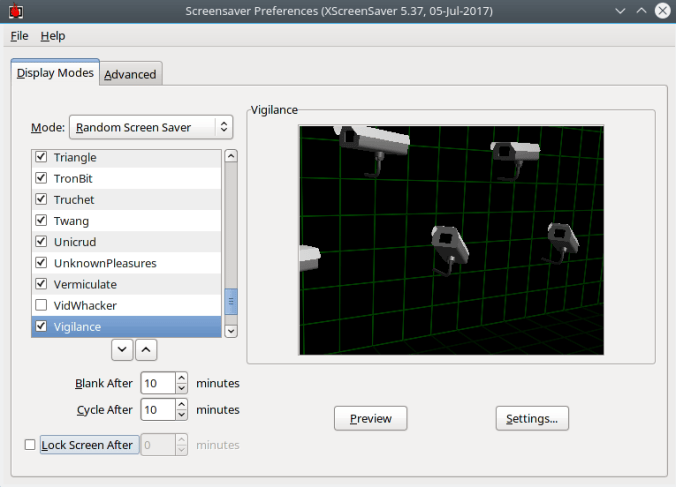
1) XScreenSaver has a smart animation and i like it:
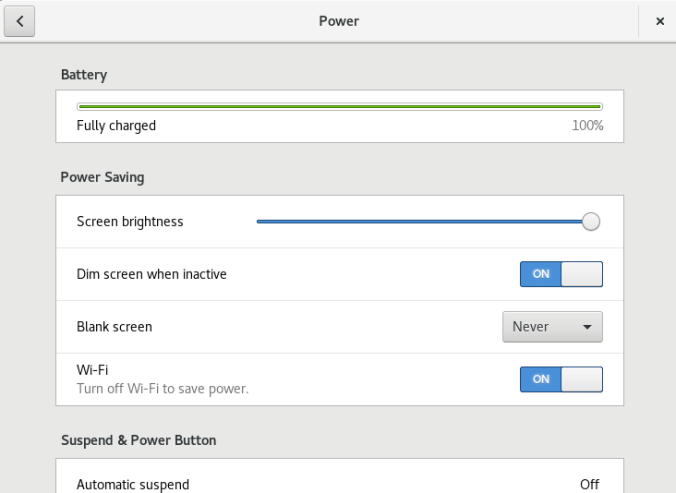
First of all you need to turn off screen blanking and screen locking of GNOME and Plasma.
GNOME: All Settings > Power
Plasma:
– System Settings > Desktop Behavior > Screen Locking

– System Settings > Power Management > Activity Settings

Then run Screensaver program.
GNOME:
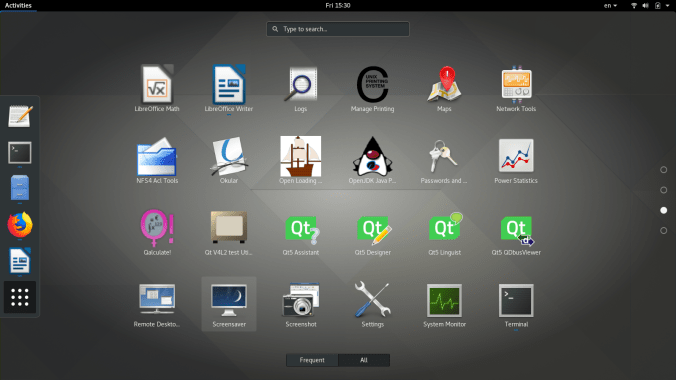

Plasma: Applications > Settings
2) I don’t use XScreenSaver:
Well, you can turn off XScreenSaver.
Remove xscreensaver.desktop:
sudo rm /etc/xdg/autostart/xscreensaver.desktop
Remove .xscreensaver:
rm -f ~/.xscreensaver
Reboot your machine.
How to use the internationalization input method?
See Using the input method.
Wed Mar 21 05:17:55 UTC 2018
How to check SHA256 digest?
echo "c2f012673bb0c41fda36c3d8776ddcb598a824adf0300bfb9f03fee7abbb2325 omarine-3.0-dvd.iso" | sha256sum -c
Setup Canon LBP printer driver, for example LBP2900:
sudo captprinter-setup LBP2900
Upgrade (or install, query) package files directly from the internet, for example makeca-1.0.2-1.x86_64.rpm:
sudo rpm -U ftp://ftp.omarine.org/phamtyn/packages/01-base/makeca-1.0.2-1.x86_64.rpm
 Artificial Intelligence Kiosk