Grub is a popular Bootloader. When Secure Boot is Enabled, Grub is checked by another Bootloader that comes before it in the boot chain, which is Shim

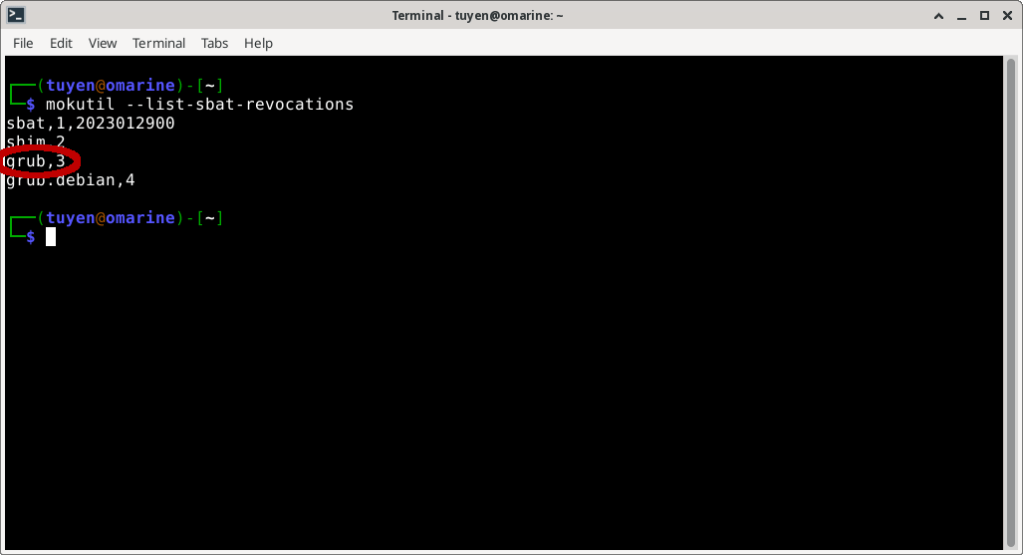
The required metadata is included in the Grub binary, called SBAT (Secure Boot Advanced Targeting). In SBAT, the Grub generation number 2 had vulnerability, so the current acceptable generation number is 3
How to install old versions of Ubuntu, Fedora distributions
As a result, old version (.iso) installers such as Ubuntu 20.04, Fedora 37 with Grub generation number 2 will not be able to boot to install on new devices.
The solution is to temporarily disable Secure boot in the BIOS, then install the above distributions. After installation, the system will update Grub with generation number 3. From there, Secure boot mode can be Enabled again.
 Artificial Intelligence Kiosk
Pingback: Grub Secure Boot Generation Number – Century R&D Investment Institute